Monday, 2 December 2019

Long Time No See - Skyrim VR

Hello my avid reader(s),

It has been a long time since my last post. This is not because my intentions to blog are dead. Since my last post two things have happened. One, I have expanded my family and that has meant about 6-9 months of not really having any chance to play VR. I'm glad to say that now things are settled down, that I'm getting chance to go back to my Vive headset again.

The second thing that happened is that I started playing a tremendously long game in VR that, for various reasons, I wanted to complete before writing this blog post. A daft idea in retrospect because it has taken me so long to get here, but what is done is done.

That game is Skyrim VR and it is what this blog post is about.

First I need to give you some context on my relationship with Skyrim VR. The word "relationship" in reference to a game may seem daft initially. In this case, it is because I have played and attained all achievements on Skyrim on PS3, PS4 and Steam as well as played it twice again on PC with significant mods installed. So I have probably quite literally spent over 1000 hours of my life on Skyrim in one form or another. And now I have played it all over again (and attained all achievements) in VR.

So what is it like?

The first thing that strikes you about Skyrim in VR is the massive sense of scale, much more so then playing it on the flatscreen. Suddenly the first dragon in Helgen seems huge, the mountain ranges flanking your path epic, and the first time you go into Dragonsreach you will think to yourself that you had no idea the ceilings were so high.

Dragons feels much larger and more menacing in VR


VR adds a new feeling of wonder to Skyrim like it never did for Fallout 4, and it really does bring new beauty to the game, even with the stock unmodded graphics.

In terms of the player controls, it is a bit of a mixed bag of nuts.

With archery, the bow and arrow mechanism is what you want it to be, with the player having to manually notch the arrow and aim. Sadly, aiming doesn't feel quite as natural as in the Longbow game in Valve's "The Lab," so manual aiming is some work, but the Eagle Eye perk allows you to paint the target with a crosshair which makes things a lot easier. Unfortunately, due to some of the trade-offs of porting this flatscreen game to VR, the way archery has been adapted for VR does leave it a little over powered. In the vanilla game you had to wait for your player to draw back the arrow to get full power, which means you can only fire arrows at a limited rate. In VR, because you can draw back your arrow in an instant, it effectively lets you rapid fire your enemy. It won't let you take on Draugr Deathlords when you are level 5, but once you have levelled up a bit you could probably just stock up on arrows and forget any other forms of combat if you were so inclined.

Archery feels mostly natural, but you'll still need the Eagle Eye perk to help with aiming.


The other big improvement controls-wise is with magic. Shooting flames out of your hands never felt more natural as it does in Skyrim VR, and being able to aim two jets of flame to two different opponents is fantastic.

Sneaking generally works well, but I do have a gripe with it. You can set a "natural sneak", which means if you physically crouch down you will automatically go into sneak mode, but I challenge many gamers to be able to put 200+ hours playing a game like this, especially if stealth is your main play style as it is with me. Alternatively, you can set sneak to a key press as with the vanilla game. The downside of this is that your character in the game crouches, but you are still physically standing up, so the feeling for me is that now I am suddenly a midget in the game.

My first manual tweak, causing me to dive into the game's INI files, was to set the sneak height the same as normal height, so now when I sneak I am effectively just walking around more slowly to avoid detection. This feels good to me and I'd recommend it to other players as well.

Lastly in terms of controls, what seems a standard pitfall for converting flatscreen games into VR is porting so many controls into the limited set of buttons you get on VR controls. In Skyrim VR this is achieved by context mapping some buttons. If you click the right trackpad on an object you open it or pick it up. If you click the right trackpad with no object then you enter the favourites menu. This means when picking up small, "hard to point to" items lying around like gold coins and gems, or picking glowing mushrooms off cave walls, half the time you'll pick the item up and the other half you'll open the favourites menu by mistake. It's a frustration that luckily you can get used to, because you'll be doing it a lot.

The first time you set foot in Dragonsreach, you'll stop to look up at those high ceilings.
After ploughing your first 100 hours into the game, the sense of wonder may go away but the joy of playing the game and really being there in Skyrim persists. It's amazing how many more things you find in dungeons that you missed playing on flatscreen. It's now much easier to really look closely at all those desks and surfaces that might have a small ring or gem on it. It's also much quicker and easier to scour dungeon rooms for those urns placed on top of shelves, that you might miss on the flat screen generally looking down most of the time.

It was truly a joy to play Skyrim all the way through again in VR. On this play through I achieved the highest character level I ever have (level 123), attained more than a million gold for the first time (previous record was around 700,000) and put more hours in a play through (a total of 232 hours).

Although it may "only" be a VR port, I highly recommend anyone who is a VR enthusiast to buy Skyrim and play it through. True, as a VR port, there is not a lot of manual mechanics in the game after the archery. You still interact with pretty much anything via menus and buttons presses and so if you are a VR purist you will lament missing being able to manually pulling levers and winches, pulling items out of your backpack and so forth. However, I think if you get hung up on that you are potentially missing out on one of the most epic and in-depth game experiences available to VR players today.

If you somehow haven't played Skyrim before but you love the fantasy setting, and you have a VR headset, all I can ask is "What the hell are you waiting for? You are in for a treat!"


Saturday, 10 March 2018

It's "New PC" Time

Hello fellow VR and technology enthusiasts,

3 months ago I upgraded from my old Geforce GTX 970 to a Geforce GTX 1070ti, which (as you may expect) made a tremendous improvement to my Fallout 4 VR experience. It went from being totally playable after a number of tweaks to being a world with much more detail, less pixellation *and* much better frame rates (a.k.a. less reprojection).

However, ever since then (even from before really) I've been hankering to upgrade the rest of my PC as well. I bought my current gaming PC in September 2014 so it's been around for 3.5 years and now on it's third graphics card. So much like my gaming PC before it, it has lived a really useful life of playing the latest games with good levels of detail, which is especially good as before now, my price target for PC components was, I'd say, the "bang-for-buck enthusiast". I'd look for parts that were in between mainstream gaming parts but pushing slightly towards the enthusiast end of the market.

The History of My Current PC


So for reference, the main components making up my current PC are (with the price I paid):
  • Processor: Intel i5-4590 (£148)
  • Processor Cooler: Arctic Cooling Freezer 7 Pro rev 2 (£14)
  • Motherboard: Asus Z87-K (£94)
  • Memory: HyperX 2x8GB 1866MHz DDR3 CL10 (£119)
  • Primary Storage: Samsung EVO 840 500Mb (£178)
  • Secondary Storage: Seagate SSHD 2TB (£77)
  • PSU: XFX 750W XXX Edition Modular PSU (£63) 
I won't bother listing the more minor parts like the case, optical drive, etc because they are largely inconsequential to performance. Also, I re-used my SoundBlaster X-Fi Gamer (can't even remember when I bought that or what I paid) which will get re-used again.

The graphics card history of my current PC is:
The Radeon R9 280X was a disaster for me

  • Asus R9 280X DirectCU II 3GB (£233, bought September 2014 with the rest of my current PC) - This was my first foray into buying Radeon instead of nVidia, based on getting better bang for buck, and it was a disaster. The 280X and 290X designs had fundamental stability issues that meant wide swathes of buyers were finding they were getting serious random graphical corruption. For me, I would get random manifestation of bad drawing errors that could only be solved by rebooting the PC, it might happen after 2 hours of playing or 5 minutes. You can see what I'm talking about on this page. I sent it back to eBuyer once and they "tested" it and said they couldn't recreate the issue. I was very annoyed at that, I kept the card for another couple of months trying workarounds to solve the issue, and finally sent it back again and told eBuyer if they didn't sort out the problem I'd never buy from them again. eBuyer refunded me the full amount, which I was grateful for because it totally worked in my favour. The graphics card market had moved on a year and I put a bit of extra money into buying....
  • Asus GeForce GTX 970 Strix (£288, bought July 2015) - with this purchase I went back to familiar territory, much better performance and ZERO issues. Luckily for me, I bought this card in July 2015, way before I had any real interest in VR, and it just happened to be the recommended entry specification for a good VR experience, which it totally was. However, a few months after getting my Vive I upgraded to...
  • Asus Turbo Geforce GTX 1070ti  (£420, bought December 2017). In a world where graphics cards prices are pushed up by cryptocurrency miners exhausting supply, I managed to buy this shortly after it was released and am I glad I did. The same card will now set you back an additional £200 just a few months later.
So my current setup has a fantastic graphics capability in the 1070ti, but the core of my PC is still 3.5 years old, and a fairly mid-level spec when I bought it. I just can't get over the feelings of how slower memory and CPU may be hampering my VR experiences, so I am finally biting the bullet and upgrading.

Making Decisions on New PC Parts


Really, up to the time I bought my current PC, my decisions on what specification components to get has always been to try and buy a new PC in the £800 to £1000 price range, which historically has meant a gaming PC that will stand the test of time aided with graphics cards upgrades down the line. My current PC has lasted 3.5 years and my previous PC lasted 5 years! (when I was less well off than I am now).

Well, I didn't really mean for it to end up this way, but actually my new PC parts are, I would say "top-end mainstream enthusiast". In other words, I'm basically buying the best components you can get without paying silly money.

Also, unlike previous builds, I won't be building an entirely new PC. I will be re-using the following components from my old PC:
  • Case
  • PSU
  • Optical drive
  • Primary storage (which will become second-level primary storage. I'll explain in a bit).
  • Secondary storage (which will become second-level secondary storage).
  • Sound card
Why the change, when I've built entirely new PCs before? The reasons are:
  • In the past I've sold my old PC builds super cheap to family members, but none of them seem to have a use for my existing PC.
  • You don't really retain any money in keeping the old PC intact. In fact, some quick research tells me I can sell the components individually on eBay for more money overall.
  • Ultimately, the lowest net-spend way to get myself a new PC was to do it this way. Which is just as well really....
... because I ended up lulling myself into a false sense of security when it came to managing costs. My intention was to buy a new spec for around the £600 to £800 (so basically the same range of old, minus the cost of the parts I was re-using). However, I ended up really going for the parts this time and ended up spending the same as I always did without draining the £200 on parts inconsequential to performance.

The New Parts I Ordered


Okay, here's the guts of what my new PC is made up of and why I picked each part.

Processor - Intel i7-8700K (£301)


So, right off the bat, you can see this is not the i5 similar spec to my old PC, but essentially the best processor you can buy before you go into silly money i9 territory.

I did look at an i5 processor, the i5-8600K, which at £222 initially looked quite appealing price wise against the i7-8700k I initially saw at £327. However, to be honest I never really entertained settling for the i5 this time, a decision I feel was further vindicated when I managed to order the i7 for £301, so I only ended up spending £79 pound extra to get all the extra performence from higher clock speed, more cache and 6 additional hyper-threading virtual cores.

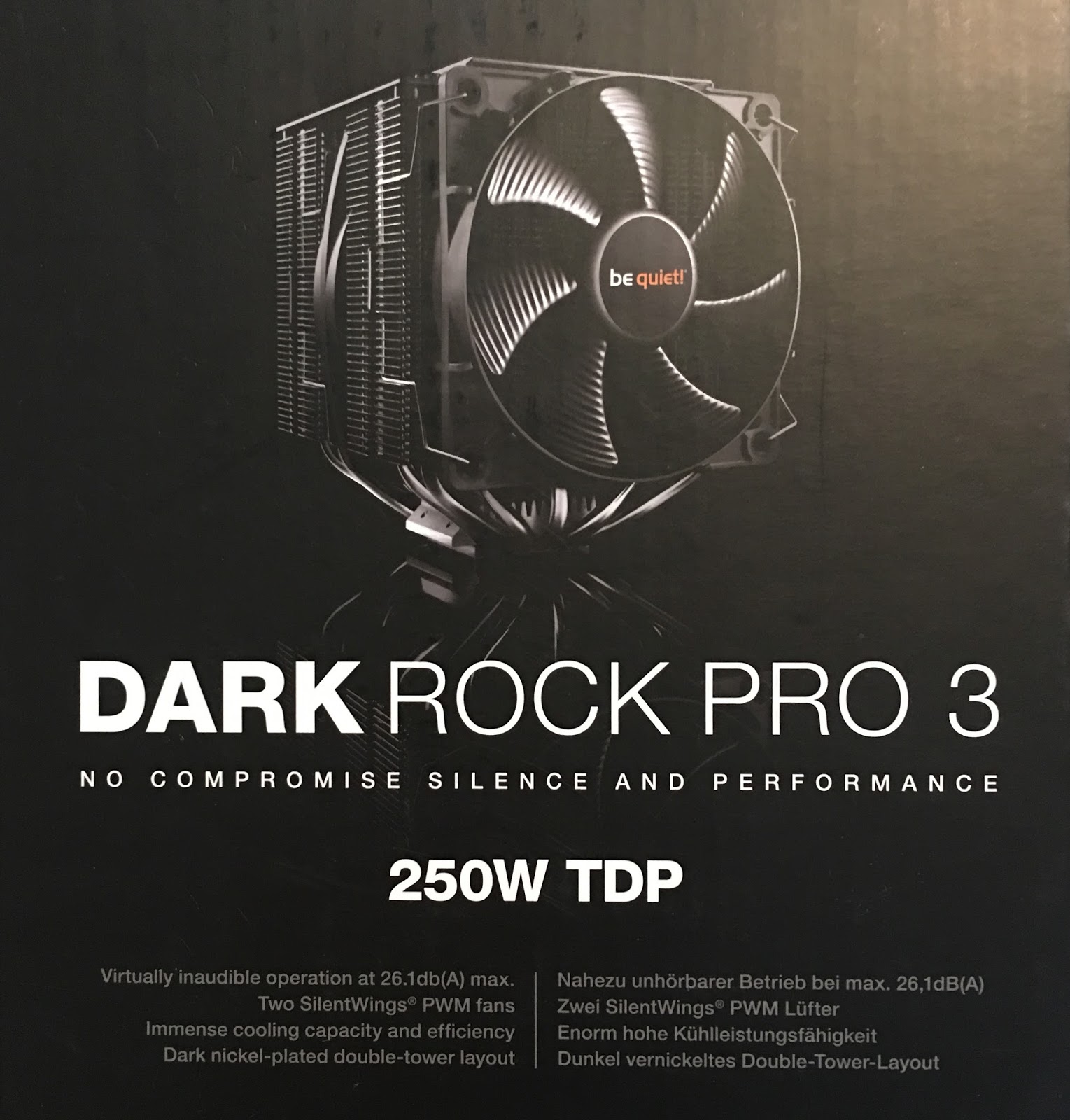
Processor Cooler - Be Quiet BK019 Dark Rock Pro3 (£57)


It's just a cooler, right? I spent £14 last time on a fairly basic cooler. And the only reason I bought that rather than use the stock cooler was because I wanted something quieter.

But my old processor was an i5 that couldn't really be overclocked. My new processor is a top-end 8700K that can be overclocked. I probably won't bother to do any overclocking initially, but down the line I am sure I am going to play with it. And here we fall into why I ended up spending more money than I originally intended. I thought, "If I'm buying these great components that can be overclocked, it seems silly to hamper that ability with other cheaper components".

And looking at the more enthusiast cooler section of the market, you can pay silly money (up to and even over £100) on air coolers and even more on water-based coolers.

I'm not interested in water-based coolers, too much faff and actually I am not really for the idea of putting water inside my expensive new PC. The Be Quiet fan was very well priced against competitors, has excellent cooling perfomance for an air cooler and is very very quiet for a higher-end performing air cooler.

I've gone from spending £14 on a CPU cooler last time round to £57 this time, whoops.

Motherboard  - Asus TUF Z370-Pro Gaming £141


As you might have worked out, I am an ASUS enthusiast. Aside from the Radeon, which I blame AMD for because the problem is the basic design, not the manufacturing, I have never gone wrong buying ASUS. Excellent quality production, generally top-end performance and for reasonable prices.

So I was always going to buy another ASUS motherboard. With the Z370 chipset needed for the i7-8700K, there's not the usual massive range of ASUS motherboards to pick from.

Actually my motherboard requirements are generally quite low. I need a standard size motherboard, onboard wired LAN (fairly standard), I don't care about onboard wifi because I used wired, I don't care about onboard audio because my Soundblaster card is still fully supported gaming-wise, I don't care about onboard graphics (ha ha, VR with onboard graphics) and I don't care about looks (my PC case doesn't have a window) so in the end I picked the fairly modest TUF Pro out of the range available.

It still cost £141 though, almost twice as much as my last ASUS motherboard, whoops again! But I think the money is going into the Z370 chipset and the wide range of overclocking options.

Memory - G.SKILL Ripjaws V Series F4-3200C14D-16GVK 2x8GB (£253).

This is probably the component I feel most unsure about. I've spent extra on getting high speed low latency RAM.

I went for 3200MHz RAM because various recommendations I've seen about what memory to get for an i7-8700K basically says get the 3000MHz or 3200MHz speeds if you can afford it, but don't spend more because you get diminishing returns.

I also went for low latency RAM, CL16 is the standard and I've bought CL14, because I know CAS Latency can be a key differentiation between cheap RAM at a certain speed and better performing RAM. Actually, buying 3200MHz at lower than CL16 doesn't seem to give you many reasonably priced options looking at the likes of eBuyer and Amazon, so when I saw this memory at this price it stood out.

Finally, I stick to buying Qualified Vendor List (QVL) memory these days to eliminate the risk of incompatibilities and having to send components back and waiting even longer to finish building the new PC.

However, having decided all the above, it is very hard to find benchmarks that really back up the extra performance I am hoping to get out of buying this RAM, so I think a future blog post is going to be dedicated to testing this out.

I've gone from spending £119 on 16GB memory last time round to more than twice as much this time. Whoops again.

Primary Storage - Samsung 850 EVO M.2 (£154)


Aside from the form factor, this is a straight jump to the next generation over my existing SSD drive.

I considered keeping my existing 840 EVO as primary storage but, once again, thought that if I'm buying these quality components, why chain them to yesteryear's parts.

Samsung stand out in the SSD market due to the type of chips they produce, you don't get similar performance for similar prices anywhere else, so it was an easy decision to get the 850 EVO.

The other difference of the 850 to my old 840 is that the 850 EVO is the M.2 form factor. I never heard of it before researching my PC parts this time round, but my new ASUS motherboard has an M.2 slot so I thought "Why not?"

So now I can explain what I meant by "second level primary storage" above. My existing 840 EVO is still a great drive, just not as great as the 850 EVO will be, so the 850 will be my primary system drive that I'll also install the latest games on, and the 840 will become my D drive where I keep things I still want to run fast, but don't need the absolute best performance. So I'll probably install most of my applications on the 840.

Secondary Storage - Toshiba P300 3TB.


I have no requirements from my secondary storage except I need a bigger drive. My existing secondary drive is a 2TB SSHD from Seagate. The hybrid SSHD components ended up completely inconsequential in my old PC build, but I am running out of space on it, so I've literally just gone for space this time, hence the conventional P300 HDD.

The 3TB drive will become my main secondary storage, where I'll put things like my music and movie collections, and the older 2TB drive will just become an add-on volume just to dump files or use to backup other spaces.

Reusing Parts


I considered whether to buy a new PSU, but my existing XFX PSU is powerful enough at 750W, efficient enough, has good fans on it and is totally modular already, so I literally have no need to buy anything else.

I'm not a person who likes a flashy PC case. I've been building my own PCs for 20-ish years and I'm old-school like that. Plus, I quite like my existing case (a Coolermaster N300 case).

I really only have an Optical drive for DVDs and Blu Rays I buy so I can watch them on my iPad or home network, so no need to replace my existing one.

My SoundBlaster X-Fi Gamer sound card is pretty old school, but it is still fully supported and the sound processing is probably still better than even today's onboard sound solutions. This matters to be because I also have a Creative 5.1 speaker system that combines well with the card. So I'm keeping it.

I did consider whether to sell my old drive parts, but I think I'll get better value out of them than how much I'll get if I sell them second hand.

Conclusion

So there we are, my thoughts and the process I went through when selecting new PC parts. At the time of writing, all of the parts are delivered now except the memory, which is shipping from Germany. My next blog post will be about building the PC.

Thursday, 14 December 2017

Fallout 4 VR - Great game with Technical Issues

Hello fellow VR fans,

If you follow VR at all, then unless you've been under a rock this past week, you'll know that Fallout 4 VR was finally released this week.

As someone who has finished the "pancake" version of Fallout 4 twice, I pre-ordered the VR version the instant it was announced by Bethesda and came up on Steam. I am a massive Fallout fan and was completely overjoyed to learn that it was being re-released for Steam. Even the £40 ($60) price tag didn't put me off in the slightest.

However, I knew there was a risk about how good a port this would turn out to be, but I decided to just go with it.

This blog post is about my first 3 days playing Fallout 4 VR.

Performance


Perhaps the biggest question coming from people that don't currently own the game is "How well will it run on my system?"

If you read the likes of the Steam discussion forums and Reddit r/vive, there are many many complaints of people with high-end systems say they have performance issues. Comments like "I have a 1080ti and <decent processor> and I am only getting 45 fps/massive reprojection/etc" are rife.

And I do find it a bit strange, because I have exactly the spec for general entry-level VR, an Intel i5-4590 and Geforce GTX 970, and I find the game to be totally playable with no supersampling (Wikipedia) and TAA (Wikipedia) off (more about that later). Of course, I am getting reprojection (Wikipedia), a lot of it, and with the graphics running at native Vive resolution and no anti-aliasing (Wikipedia), it is quite pixelated (Wikipedia), but it is still definitely good enough for me to forget all that after 5 minutes and just get lost in the game.

So, without intending to unduly trivialise the experiences other people are having, I can't help but feel a lot of peoples' experiences fall into one of three scenarios:
  • People with high-end specs are used to getting zero reprojection in normal made-for-VR games and are just focusing on the data rather than just feeling how the experience is. There is a suggestion that perhaps people on low-end specs, like me, have less expectations and therefore less likely to be disappointed.
  • People have ganked their configs with dodgy tweaks killing their performance, and then complain it is the game's fault.
  • People just liking to complain that, at the end of the day, this is a port of an already known-to-be flawed/old gaming engine. It was never going to be awesome work of art in VR because it was never awesome on the flat screen.
I repeat, I have an i5-4590 and GTX 970 and I'm loving playing Fallout 4 VR. I do not deny, however, that this game is challenging to deal with from a performance perspective, I'm not say people with high-end rigs aren't right to expect better.

Technical Issues


The second biggest thing (a close second) are the technical issues.

It has to be said that Fallout 4 VR has released with some head-scratching bugs. Head-scratching because they don't seem to be particularly fundamental issues, and one is really left wondering how such issues could have been missed.

Case 1: On release, the rendering resolution in the game was locked to what your current desktop resolution was. It was a really crazy problem that was causing a wide range of issues. For me, my desktop runs at 1080p, so the result for me was really crappy looking graphics but reasonable performance. Other folks with 4K displays were finding they had great looking graphics but really crappy performance, because the 4K desktop resolution was effectively supersampling the crap out of the graphics.

It's such a crazy bug, why on Earth the desktop resolution should have anything at all to do with the rendering on the VR headset is just totally bizarre, as is how such as bug could be missed before release.

The plus side on this is that this issue proved Bethesda was completely poised to resolve early issues, and they released a Beta patch for this problem within 14 hours of game release. They have continued to release 2 further issue-resolving patches up to now as well.

Case 2: TAA is really a problem. TAA is the default anti-aliasing algorithm Fallout 4 VR uses to smooth the graphics, and it looks blurry as hell. It seems to me that TAA is something that works perfectly well on the flat screen, but no-one in Bethesda did too much research into how well it looks on displays 1 inch from your eyeballs.

TAA on - Everyting is severely blurred.


The Reddit/Steam communities saved the day with that one, with a simple console command to turn off TAA and either just leave all AA off (like I currently do) or use a different better anti-aliasing method like SMAA.

TAA off - Sharp but severe pixelation


Bethesda seem to be focusing on resolving supersampling issues as a way to resolve graphics problems than messing about with anti-aliasing, which is fine. I'm on a low-end system anyway so I chose to just leave TAA off for best performance and deal with the pixelation.

Case 3: The most annoying bug for me, the tendency for the game to crash when performing certain container inventory actions. I have been getting crashes to desktop when trying to retrieve an item from a crafted container in my home hub of Sanctuary, plus now also getting crashes when just opening a random container out in some location in the Commonwealth. Bethesda released another Beta patch late last night that I haven't had chance to test yet, but it purports to resolve inventory crashing problems so I am hopeful this problem is also fixed.

So, this whole saga seems like we are on the bleeding edge, and you might call it bleeding edge if Bethesda was the first company to port a pancake game to VR, but Croteam showed how it is done with their Talos Principle VR port, so one wonders a little about Bethesda's approach to all this.

Bottom line is, if you feel like you can wait a little while before buying Fallout 4 VR, or want the price to drop, then you can probably avoid all this community enthusiasm for solving these technical issues.

I stress again, however, I am still loving Fallout 4 VR despite all this, I am a technical person so I can deal with these issues, and whatever their faults, Bethesda are watching community comments like a hawk and resolving issues fast, so they at least deserve credit for that.

Case 4: Scopes do not work, period. The scope lens renders opaque, so you can't look through them. Bethesda says they are going to fix that in an update, but we don't know when. So you are limited to iron sights like the glow sights or reflex sights for now.

The Gameplay Itself


I'm not going to go into what Fallout 4 is like in general, you can read any number of reviews for the original game for that, but rather the VR-conversion specifics.

It's a bit of a mish-mash really. The hand controllers are fully integrated, which is a massive plus, but, well, it would be dumb if they weren't, so you are fully capable of doing everything you need to in the game fairly intuitively. I do struggle a little with the over-sensitivity of the Vive touchpads, but it's a minor inconvenience.

Combat in particular is fun. You can smack things with melee weapons or even pistol-whip baddies by just waving your weapon around with the controller. Guns seem to handle well, despite even the huge ones being one-handed. Aiming is a bit odd, in general there seems to be an "RPG effect" where you can get your aim spot on, but there is still some "chance to hit" applied which may or may not cause your bullet to shoot at a slight angle to where you are aiming. You can look down the iron sights and fire a gun and see the bullet go off to one-side. It seems to be the same mechanic as when playing the "pancake" version, where you can see bullets spray around your target reticle. It doesn't work so well in VR though, but it's not such a big issue, especially when you are also using VATS to fight.

The biggest missed opportunity, I won't say disappointment, is the vast majority of interactivity with the game world is still via menus, albeit floating menus. Get stuff in and out of a container? Floating menu. Interact with an NPC? Floating menu. Remove a power core from a generator? Floating menu. Pick up an item in the game world? Point at it and click "pick up." There is only basic tactile interactivity with the world, even picking up objects to move them around is odd at the moment (likely to be fixed later I should think). I guess, with such a huge game to deal with, Bethesda felt this was the best approach, but it is the biggest missed opportunity to me. It's not something I find myself focusing on when playing so it doesn't get in the way, but still, I hope there are mods developed that bring some of these factors into the game.

Floating displays are core to gameplay - functional but not immersive.

Conclusion


I think choosing to buy Fallout 4 VR right now really depends on the type of person you are.

If you are like me, which means you *love* the Fallout and Elder Scrolls series, you are a VR nut, you have technical ability (and perhaps by that I mean real IT experience and/or know-how as opposed to being just some Joe who is as likely to break something by tinkering than improve it), then Fallout 4 VR is totally worth it. Despite the issues, I have no regrets about paying £40 for it and getting stuck right in.

If, however:
  • You expect a game to just work when you buy it, which is quite reasonable and, ironically, the basis I have previously reviewed a lot of Indie games.
  • Don't agree with paying top-dollar for what could be argued is still a work in progress (again, reasonable).
  • Are expecting Fallout 4 VR to be some pinnacle of technical achievement. I'm not really sure why this should be the case but a lot of folks on the forums seem to be acting this way.
  • Just can be arsed with all the bugs(back to being reasonable again).
Then waiting for a while before you buy is probably wise. I'm not sure if Fallout 4 VR will go into a sale price over the Steam Winter sale but it might be worth just to wait a couple of weeks and see.

I, however, am not disappointed!


Thursday, 7 December 2017

Dark Legion VR Review (Verdict: Good, Shame About the Bugs)

Hello my fellow VR enthusiasts,

We have another game review for today, Dark Legion VR.


I actually don't remember how this game got into my library, I think I must have picked it up on a freebie. It's a shame I couldn't find out for sure, because when you can get your money's worth out of this game depends on whether you paid a very small amount or got it for free.

Which doesn't bode well I know. However, this game does have some redeeming features that at least might merit some further interest if you can pick it up for a steal. It's not as bad as some other rock-bottom VR titles, like the awful Marlene Act 1 Betwixt I reviewed in my last post.

Dark Legion VR - The Plot

Orange leather doesn't stop her from getting left behind.

As is often the case with Indie VR titles, the plot for dark legion VR is quite thin. I've seen worse, however.

You appear to be some kind of space mercenary. You start off the game in your main ship, in a training arena, with your ridiculous orange-leather-bound female companion there also. Your companion takes you on a walk around the area showing you all the features, and then there is an achievement for completing certain tasks in the shooting range and other areas.

Actually, as far as tutorials go, it's quite well done. There was only one thing I wasn't sure about, because there were not any visual cues as to whether I was doing the exercise right, but otherwise it's a great introduction into using the weapons.

So you go on your first mission and, whilst you are in your shuttle, something goes wrong. You crash land and need to find a spare part to fix your shuttle and move on.

Whilst looking for a spare part (in the middle of nowhere) you start getting attacked and you apparently quickly forget about your shuttle (and companion) and go wondering off trying to find the source of the aggression.

The Game Mechanics


Thankfully, I found the core gameplay for Dark Legion VR to be very enjoyable. Weapons work well and you soon get into a rhythm of managing shots left and reloading. Combat is urgent but geared such that you aren't forgetting yourself and running into your real world walls trying to dodge projectiles. As you get further into the game you can slip into a well-worn cover and shoot mechanic to battle most of the enemies, and every so often the game tosses into something slightly different to shake up the gameplay, such as snipers you can't simply shoot from far away, riot shields that block standard bullets, and bosses where you are forced to get out of cover and take on much more directly.

So despite some depressingly familiar bugs, which is why this game doesn't actually get a thumbs-up rating (explained later) the core game entertained me well enough that I stuck with it through the bugs and to the end. It's about 3 hours gameplay and so, if you are picking this up for a pittance, not bad value.

More Details


The pistol is great fun to use, and the iron sight works well.
With the high level overview of this game explained, I will slip into the good, the bad and the ugly for more details.

The ugly first:
  • The game crashes on every level transition, including when defeating the last boss. Normally, it autosaves right before the crash so you can just reload the game, jump back in and carry on. On killing the end boss however, the game crashes instantly (again) and when you reload, it dumps you in an empty boss room with no way to progress, so.... you don't actually get to see the end game movie/credits/whatever.
  • It bears repeating, on top of crashing in-between every level, I persevered through the crashes and my reward was to know I beat the game but never get to see the ending.
  • As many others have stated, the dumb little flying robot is idiotic, it frequently gets right in the way of where you want to shoot whilst you are getting shot back.
Now the good a.k.a. why I persevered with this game:
  • The graphics in the game are pretty good. They aren't outstandingly beautiful, and they are a little basic, with a lot of flat surfaces. However, the graphics do work well, particular for seeing and aiming at things at reasonable distances. Visual cues are also apparent without standing out like a sore thumb.
  • I actually quite like the main duck/cover and shoot mechanics on how you do most of the fighting. It's a bit contrived, with extremely basic enemy AI particularly, but nonetheless I quite enjoyed ducking in and out, popping off a few shots and reloading.
  • Weapon selection and reloading is again nicely done for the most part. You can pick up weapons off your belt in either hand and use the other hand to pull clips from the back of your belt, pop the clip in the gun and, depending on the gun, also pull the lever to prime the gun and start shooting.
  • In particular the pistol, which is the first weapon you get, is great fun to use (although that is also a bad thing).
  • The bow as well is quite well done. It's been done well in other games too but it works well here also.
  • Depth perception is spot on, which means you can shoot from the hip, shoot round corners, but also use iron sights very effectively for well placed headshots.
It's a shame this robot is bullet-prood, stupid little git.
Finally, the bad (or perhaps just not so good):
  • Although the graphics are quite good, the sound is a little lacking. Sound effects are basic although monster noises do a good job of alerting you of what's around the corner. The music is quite dreadful however. Mostly it is background noise, but the overly dramatic music on boss fights grates after you hear the one minute song on loop for the fifth time.
  • The controller-trigger activity depends on the context of what your hand is pointing at, and the game can get very confused. If you are struggling to pick up a gun from your belt, it's probably because your hand is pointing at something on the floor or wall you can interact with.
  • Weapon balancing is iffy. I spent most of the time using the pistol because it is a) easy to reload b) has no spread, c) the iron sights are extremely accurate and d) the pistol has infinite ammo. The shotgun is little more than useless, the automatic rifle has too much spread, you only use the bow when you need to because drawing arrows takes time, and the rocket launcher is squandered if you use it on anything except bosses.
  • The sniper rifle is worth singling out. It has a top-mounted zoom display so you can try those round-the-corner shots. However, the zoom level is quite high and my hands are just not steady enough to use the rifle effectively. There has to be a way to solve a lack of steadiness for long-range weapons in VR games, it's not like you can lean on anything to steady yourself.
  • Your female companion, who helps you through the initial tutorials, is ridiculously dressed. The arse-tight leather and pointy nipples will appeal to the young lads I'm sure.
The game breaking level-transition bug is a real shame, because that is what stops me from giving this game a thumbs-up. However, without such a stupid bug, Dark Legion VR is a fun little Indie game that is fun to while away a few hours in, so I don't have the heart to give it a thumbs-down either.

Wednesday, 8 November 2017

Marlene Act 1 Betwixt - (Verdict: Avoid)

Hello fellow VRHeads, today I will be reviewing the game "Marlene Act 1 Betwixt", a game I think I must have picked up for free, which is just as well really.

It's quickly going to be apparent as you read this, that I don't think much of this game.

The Marketing


On the Steam Store page, the game describes itself thus:

"Marlene is a tense and immersive psychological horror story in which you star as the protagonist Ewan Brody. Ewan is on his way to visit his estranged sister at her remote cottage after hearing the news that his Niece Marlene has gone missing or possibly something worse. . ."
I'm very grateful to read this description actually because you get no clue about what is supposed to be happening by actually playing the game.

The Game Premise as Actually Played


Why is this man standing on top of the house? Who knows?
So what plot do you get from playing the game? Well, you start off in courtyard, at night, and you are holding a torch (a flashlight, for my American friends). The torch is a really odd looking thing, it's not a traditional torch. I did wonder if it is trying to be a torch function on the back of a mobile phone. After looking at it for some time, I came to the conclusion that it is meant to be a card torch, something like this.

And trying to work out what this thing you are holding is sums up the plot to this game. It really explains nothing to you. Things in the game are unusual and somewhat random. I mean, why a card torch? Why not just a regular torch? What is the point of this little detail?

And that's what you get from this game, weird details with no explanation.

The Game Mechanics


And the randomness with no explanation outlines the game mechanics as well. You basically spend your time plodding around, picking up random crap hidden in dark corners. Odd things happen without explanation; at one stage you get a bookshelf on a wall to fall down by... standing underneath the other bookshelf in the room. The bookshelf that falls down has the key you need to get to the next room.

Why does this room suddenly catch fire? Who cares?
How does that make any sense?

And that is all this game is, plodding around, doing random stuff until a solution presents itself. At one stage I climbed up a ladder onto a flat roof to pick up something up there, and then got stuck because I couldn't work out how to get down again, because apparently just climbing down the ladder I came up is too straightforward.

There is a review on Steam by the user Bee that sums up this game really well.

"I found this game really aggravating. It's like a demo for VR that's really in love with picking up books and soda cans. The play is one pixel-hunt after another, and your reward for finding the pixel is a jump scare. The story is a cliche, the sounds and music are very primitive (free downloads, I think) and objects, including critical objects, can clip through floors and walls and get stuck.

Have you ever wanted to try and find the marble in the oatmeal, while dodgeballs rain down on your head? This game has that experience, for some reason."

I couldn't have said it better myself.

This Game Highlights the Problem with the Indie VR scene.


Poor cabin owner can't afford more than basic furniture
I have to be very blunt here, this game resonates as a minimum effort project to create a really basic VR game "shell", just chuck in some low quality sounds and objects and just put in a few triggers. Then call it a game.

This game is the very epitome of all that is wrong in the Indie scene for VR games. Because of the relative lack of quality games in the VR market today, this game is the crap you have to sift through in order to find those gold nuggets. This game cheapens the market and makes it all the more difficult for those independent developers and game studios who *do* create quality titles, to get the kudos they deserve. The quality titles out there are lost in a sea of the mediocre, to the outright dreadful.

Going back to my section on the marketing of this game, I've never been so disgusted with the use of the word "immersive." The only way you can call this game immersive is that, by the act of putting on the VR headset and injecting yourself in this world, you are there. The only truth to the word "immersive" here is the basic technicality that this is a VR game.

Consider the value this game would have if it was not a VR title, but a regular PC indie title. It would be something some enthusiastic teenager would knock up in a bid to try and start a career in being an independent game developer. If that is the case, then kudos to that person as an individual, but I'm reviewing this game as a serious gamer. I potentially could have spent money on this.

So Who is the Developer?


Well, if you look up Uzi Games on Google, you arrive here. So at this stage I feel a little apologetic for my scathing review, because the website does say that this is a one-man show. Although I stand by my review, actually I have respect for anyone trying to make a go of something ambitious. The website does show this guy has another game in development, I have to hope this title is a lot better than Marlene.

Although then I read the review snippets he has for both of his games and I start to lose sympathy again.

“There are quite a number of VR psychological horror games out at the moment and Marlene is certainly one of the best.” - The Reality Sandwich

I can only think there must have been almost nothing else out on the market at the time.

The Verdict


If you have slightly masochistics tendencies, then get this game for free, lose 30 minutes of your life to it until you ask yourself, "What's the point?" and then you can at least say you tried it yourself to see if it really is bad.

If you are not masochitic, or if this game is not free (currently it is £1.49), then avoid! Take your £1.49 and use a dice to buy another game for the same price. You already rolled a one with this game, so a random pick cannot be any worse.


Sunday, 22 October 2017

The Talos Principle VR (Verdict: Top Quality)

Welcome back everyone.

It's been a while since I have posted on my blog. I apologise, work and other duties have kept me occupied, and my home study had managed to accumulate various junk, which took me the longest time to clear. As any Vive player knows, it's hard to play VR unless you've got the clear space.

Another thing that had frustrated me was I was planning on doing a big review on Fallout 4 VR, but the release date for that has now been pushed back to December.

Luckily, my timing was good enough to coincide with the release of The Talos Principle VR. I must admit I didn't even realise this was being worked on, I've been so far out of the loop of late. However, I have previously completed and platinumed Talos Principle on PS4, so when I saw this released on Steam, I snapped it up straight away, despite my previous penny pinching nature with trying to buy discounted games. 😛

So on to the review.


What is The Talos Principle?


The core plot of the Talos Principle essentially sees your game character as being an avatar of yourself. In other words, you could be him, he could be you. Neither you nor your character has any idea what is going on, so what's to do except start plodding around? It isn't long before a voice starts giving you instructions about what's going on.

The Jammer: One of the core puzzle solving tools.
As you explore, you come across messages in various different formats, the voice in the sky keeps talking at you, and also another "character" starts talking to you, and it's left to you to make sense of it!

So that's the plot, now for the game mechanics. Basically, this is a puzzle game with an excellent plot wrapped around it. The game consists of hub worlds that connect to levels, and each level contains a number of puzzles to solve. The majority of the puzzles are of the nature that you are in an arena with various obstacles, gates, switches, etc and you need to get to the "end" of it to claim your prize, which is a kind of jigsaw piece. Once you start building up pieces you can unlock further areas via solving tetris-style puzzles, where you get a set number of pieces and have to fill the board with them with no spaces.

The plot and the puzzles combine well. The puzzles teach you to think outside the box a little, and if you apply that lateral thinking to the overall game world and the plot, you can move off the well-trodden path to some interesting new areas with new things to discover.

I don't want to say any more, you can tell I'm being a little vague already, but the whole point of the game is to start from knowing nothing, and as the Talos Principle is a great game, you should play it, whether it is on a traditional format if you don't have VR, or on your VR headset.

For more in-depth coverage of the core game, here are reviews from 2 major gaming magazines on the Talos Principle (non VR version).

The Talos Principle in VR.


The Connector - Notice the robotic hand? That's your hand!
Firstly, this game in VR is an example of a rare full-on triple A title for your VR headset. It is the entire game, plus the Road to Gehenna DLC, rendered very well in VR. The game controls have been adapted so they make intuitive sense using your hand controllers. Also, there are very few bugs and for those bugs that do exist, they are mainly cosmetic. If you complete this game to the maximum extent there are many 10s of hours of gameplay here. At £29.99, there can be no argument that you are paying a fair price for a full game, unlike many VR "experiences" where you can pay half as much for a tenth of the game time.

The other huge plus for this game is that the developers, Croteam, have worked on making the VR experience as customisable as you want it. There are options for being able to turn around with the controls or have that disabled (so you physically have to turn around yourself), several different types of locomotion, an option to click or just touch the touchpads to move, an option to always run or only move as fast as you press, and more. Even if you have some comfort issues with playing VR for a length of time, if this game can't solve them then I don't know what game will.

The only tempering points I can raise about playing this game in VR is that although it is a great overall VR experience, it doesn't add any additional sense of presence when you play it, as opposed to playing the traditional non-VR format. Some VR experiences can feel totally different and more personal, especially the horror genre, but there is little extra sense of immersion playing Talos Principle in VR.

Also, you don't actually have to really physically move around that much. Room scale is only useful for perfectly positioning yourself in front of a touch puzzle or terminal. You mainly play the game just standing, and after a few hours my legs start to ache. You'll probably stop playing when you want to sit down for a bit, rather than any motion issues.

So, is it Recommended?
Solving a puzzle in VR. Your controller is the hand.


Regarding my points about the lack of  VR "addition" to the experience, I should stress again this comes from someone who played The Talos Principle on PS4 to 100% completion, and I am still very much loving going through this game again in VR.

Even though:
  • I've played this game before
  • My previous experience was on PS4 so I have to pay full price on Steam (if you have the original Talos Principle on Steam you get a 25% discount off the VR version)
  • Historically I've been a bit stingy paying top whack for VR games.
I very much recommend The Talos Principle to all PC VR headset owners. On the PS4 I considered this game to be one of the most enjoyable platinums I've ever achieved, and going through it all again in VR is a total pleasure!


Sunday, 6 August 2017

VorpX Virtual Screen & Deus Ex: Human Revolution

Hello fellow VR lovers,

As explained in previous posts, VorpX is a great bit of software that lets you turn your legacy games into VR experiences. The results vary a fair bit, from Borderlands, which to me just looks 3D but not really immersive, to Fallout 3 where it really feels like you are there. Setting these games up right takes a fair bit of tinkering most of the time, but the results can make it really worthwhile.

However, there are some games where no amount of tinkering helps you get the right result. Sometimes these are because of technical issues with the game, and sometimes it is because the game itself just doesn't translate well to seeing it in first person in VR all the time. This is where VorpX's virtual screen mode comes into play.

What is Virtual Screen Mode?


What DE:HR in Virtual Screen mode looks like
In standard VR mode you are looking at the game through the eyes of your character. You can turn your head to look around, you'll see your guns being held up in front of you and generally the desired result is to feel like you are in the game world.

In Virtual Screen mode, the game is running in a large virtual screen placed in front of your view point. The effect from a VR-perspective is similar as if you were playing the game in your own virtual cinema, and indeed you can easily configure VorpX to draw you sitting in a chair in front of the screen, and draw a theatre room around you. Look down and you can see your (drawn) legs.

The point of this mode is to enable you to still play games in 3D even if they don't lend themselves to being played in full VR mode. It's the same as if you were playing on a 3DTV or a 3D-enabled monitor. But if you don't have a 3D monitor and you do have a VR headset, this is for you!

In this post I talk about how it was to set up Deus Ex: Human Revolution, and what the results are like.I chose DE:HR because there are many third person view elements in this game, such as the cover mechanism which you use extensively if you play this game in stealth mode (i.e. the proper way). This means even if you got this game working smoothly in VR mode, you are not going to get the full experience because you'll get many issues in relation to switching to third person mode all the time.

Technical Issues Abound in VorpX and the Game


The basic setup of this game is actually fairly easy, the problems are the technical issues you have to overcome. The game engine itself is quite solid and stable, the specific problems are around the graphics.

Actually, the Deus Ex engine has a 3D mode built-in. The trouble is, it is tied around nVidia 3D Vision and other 3D monitor-based solutions, and I didn't find any way to enable this for use with a VR headset. So you might as well ignore this feature.

Turning off DX11 is currently needed due to a VorpX problem
There appears to be in a bug in VorpX at present that really kills performance in some Direct X 11 games, and I discovered this bug trying to play DE:HR. It doesn't matter what performance improving tweaks you try such as lowering the resolution or switching away from geometry 3D mode, the game runs like crap. You have to switch to DirectX 9 mode, which luckily you can do directly in the game options rather than have to mess about in some config file.

The good news is, in DirectX 9 mode, DE:HR runs really well. The bad news is, we have another technical problem to resolve. For some strange reasons, Geometry 3D mode in DirectX 9 causes shadows to render out of position. The shadows for one eye are too far left and the shadows for the other eye are too far right. Disabling shadows in the game does not resolve this issue, because all objects in the game have lighting effects and the shadows option only covers actual shadows cast onto the ground. The other big problem with this mode is you get permanent "shadow" bars on the left and right side of the screen.

The solution to this problem is to switch from Geometry 3D mode to Z-Buffer 3D. Unfortunately, you do lose some of the very sharp depth perspective you get with G3D mode, but overall the game looks better because the shadow problem is solved.

Finally, at this stage you probably notice that whilst the game looks fine, you'll chop around a lot between getting great frame rates and some really bad stuttering. Unfortunately you can blame Eidos for this one. The original DE:HR game had a patch that solved these problems, but Eidos created the Director's Cut version based on a pre-patched version of the original and so these bug have returned. The worst part is, now the Director's Cut version has been out for several years, clearly Eidos are not going to re-patch the game, thanks a lot Eidos!

Luckily, our friends on the internet have some simple tweaks that resolve a lot of the issues, although you'll need to be comfortable editing the windows registry. The tweak is explain in this post on the Steam community, but the those already familiar with RegEdit, all players need to make the following change
  • Go to HKEY_CURRENT_USER\Software\Eidos\Deus Ex: HRDC. Change AllowJobStealing to 0.
And if you are an nVidia card owner (like me) you also need to make the next change as well.

  • Go to HKEY_CURRENT_USER\Software\Eidos\Deus Ex: HRDC\Graphics. Set ATIForceFetch4 to 0.

The Results


After all this work, the game is great fun to play in 3D. It's pretty similar to watching 3D movies in BigScreen actually, a great way of taking a 3D screen principle and getting it to work in your VR headset.

At some point in the future I'm going to try the same thing with the original BioShock (not the remastered version). I've tried getting it to work in VR before and although technically I have got it there, I was never able to fix the zoomed-in/POV problem. Using virtual screen seems like a good idea!

Until next time!